STIL Settings Roles: Difference between revisions
STIL SETTINGS |
(No difference)
|
Revision as of 15:20, 1 November 2021
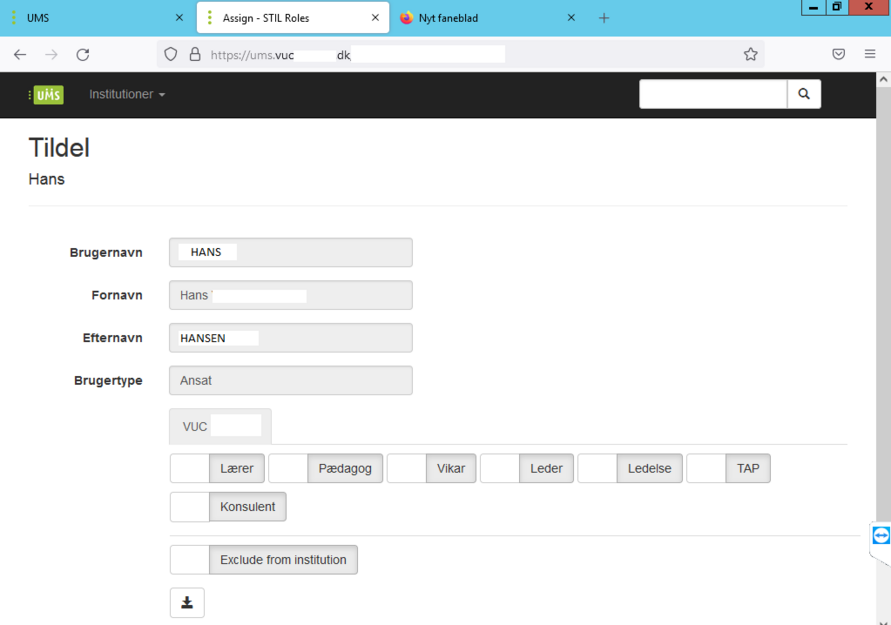
The module allows you to set one or more roles for users in STIL. Roles as (Teacher, Pedagogue, Leader, Management, TAP, Consultant )
Provides the ability to associate a person with an institution that the person is not associated with in the normal data features of the administrative system
Prerequisites
Module Requirements
- UMS
- UMS Frontend
- STIL SYNC
Installation
This module is already installed with the standard UMS installation. The UMS license will give you access to STIL settings.
Technical settings[edit | edit source]
- Update the UMS license on the frontend server and backend server that you received from inlogic with STIL Settings. (UMS License Install)
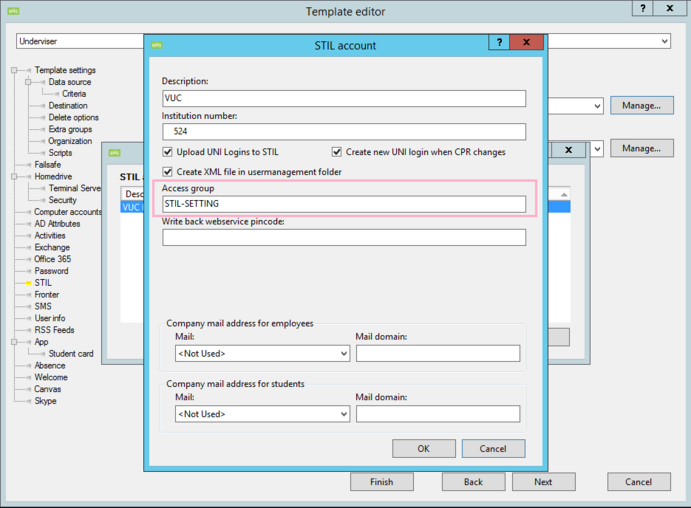
- Create an Active Directory group. Add these users to the group that need access to add STIL roles
- Select a UMS template.
- Click on STIL.
- Click on Manage ( Account setting )

- Add the new Active Directory group to (Access group)
- Login to UMS portal.
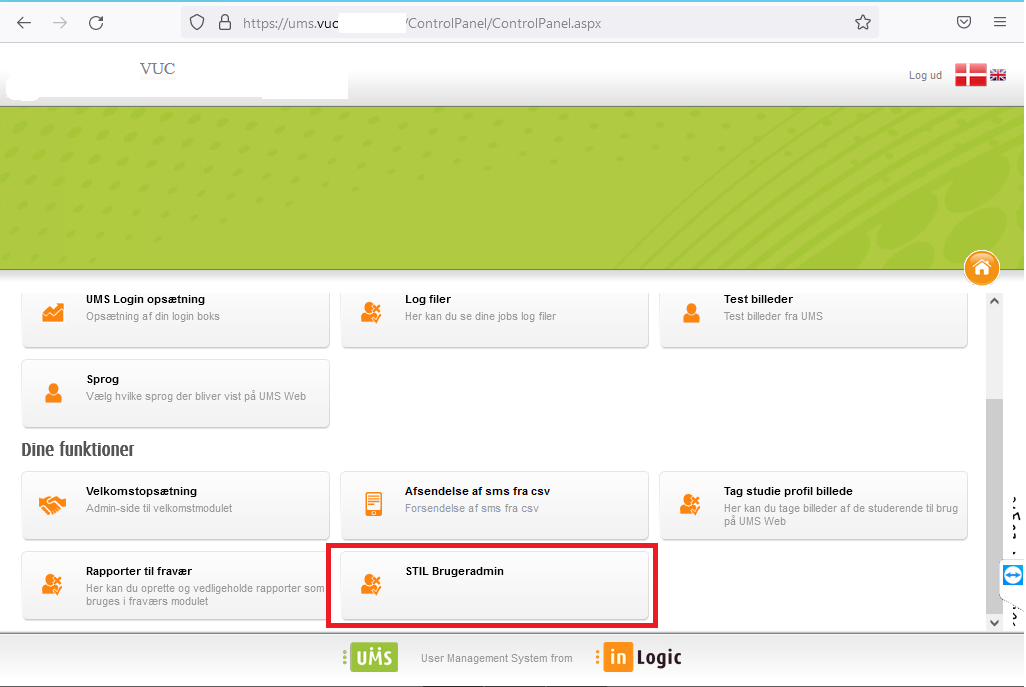
- Click on control panel
- Click on STIL (BrugerAdmin)


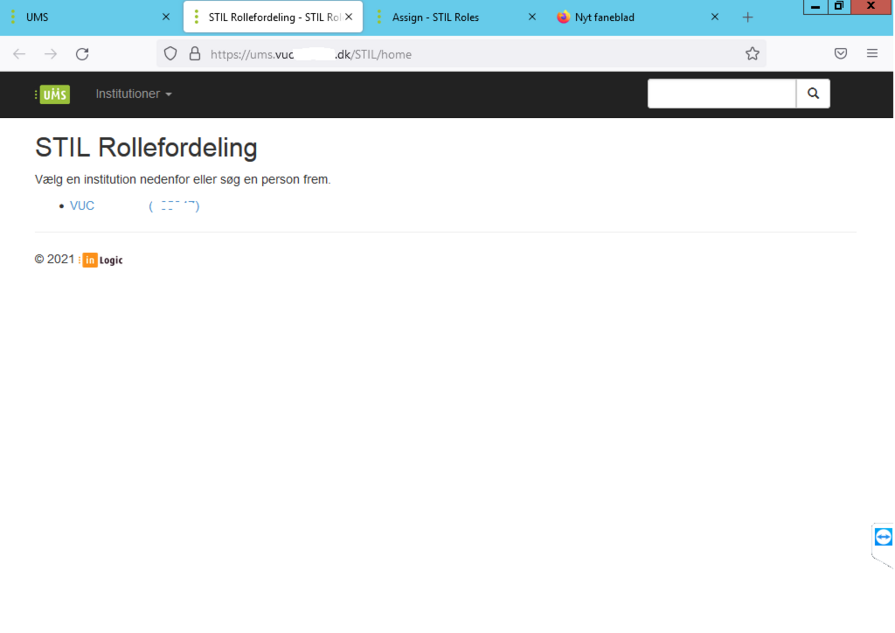
- It is possible to choose different institution numbers.
- Search for user to be assigned roles
- Assign different roles